It works on my machine: the half of your application you never shipped
A deploy fails on a missing module. The same commit ran fine on your laptop ten minutes earlier. The code is not what differs between those two machines, and the error message points at the symptom rather than the cause.
Chapters
A deploy fails, and the log has one line in it:
ModuleNotFoundError: No module named 'psycopg2'The error names a missing package, so the obvious reading is that someone forgot to install a dependency. That reading is what makes this happen again next month, because the missing package is a symptom. Your code is identical on both machines. Something else is not.
This explains what your application is actually made of, why two machines
running the same commit behave differently, and what a container freezes that a
requirements.txt cannot.
The short version
- Your application is five layers deep. You wrote the top one and deliberately chose none of the other four.
- Those four arrived over months, one command at a time, from you, from other people, and from the operating system updating itself. Nothing in your repository describes them.
- A pinned
requirements.txtspecifies exactly one of the five. - A Dockerfile declares all five, which turns the environment from the accumulated state of one machine into a file in version control.
- A container is not a virtual machine. It shares the host kernel and packages only the layers above it, which is why it is measured in megabytes and starts in milliseconds.
What your application looks like from the outside
A REST API is a request and response machine. A client sends a request over the network, your server answers it, and the network only ever carries text.
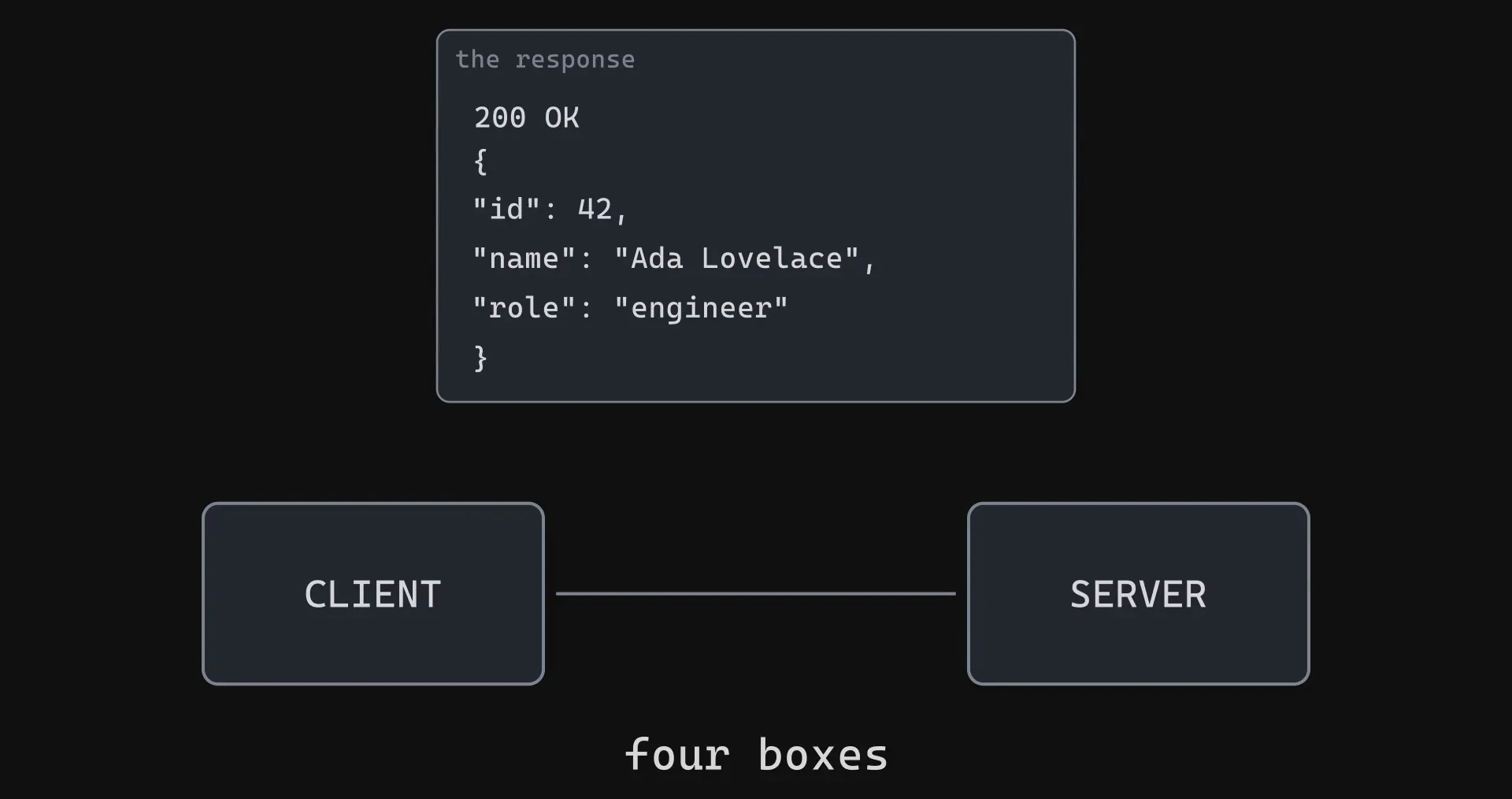
Inside the server box, three things happen in order.
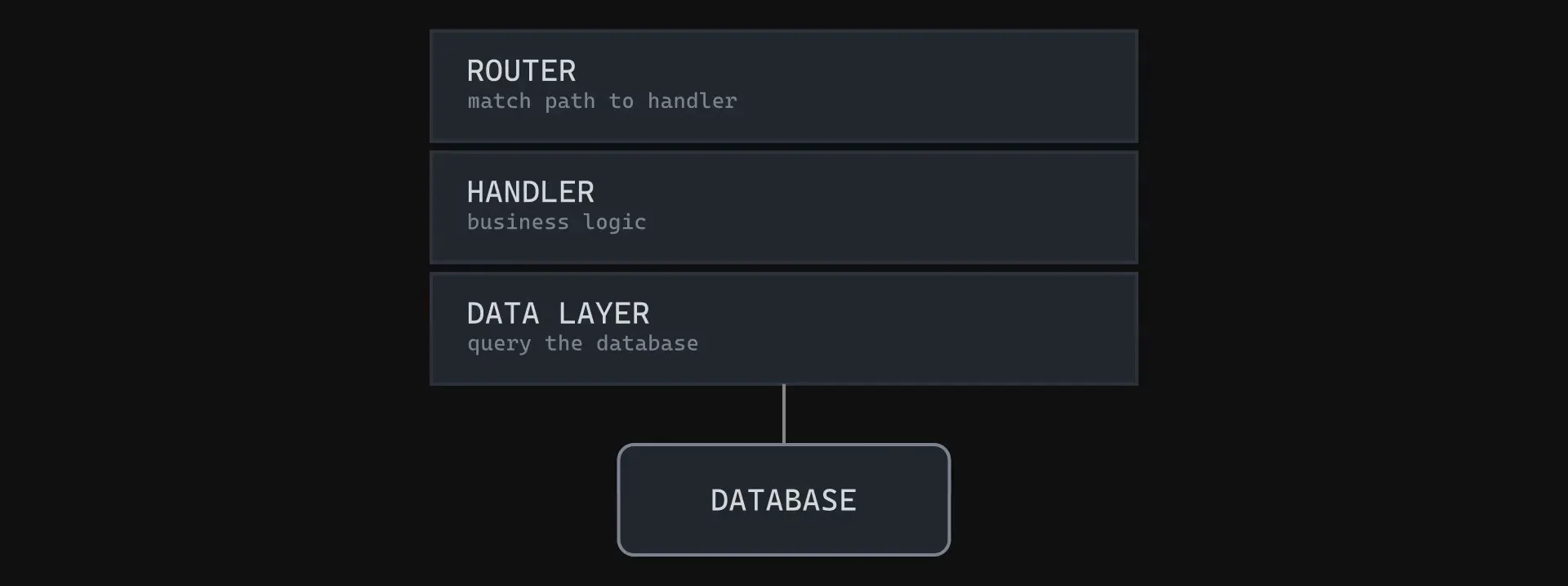
Hold on to this picture. It is the part everyone means when they say “my application”, and it is also the part that is not the problem.
And what it actually sits on
That server box is not just your code. Your code is a thin layer resting on a large pile of things you did not write and probably cannot name.
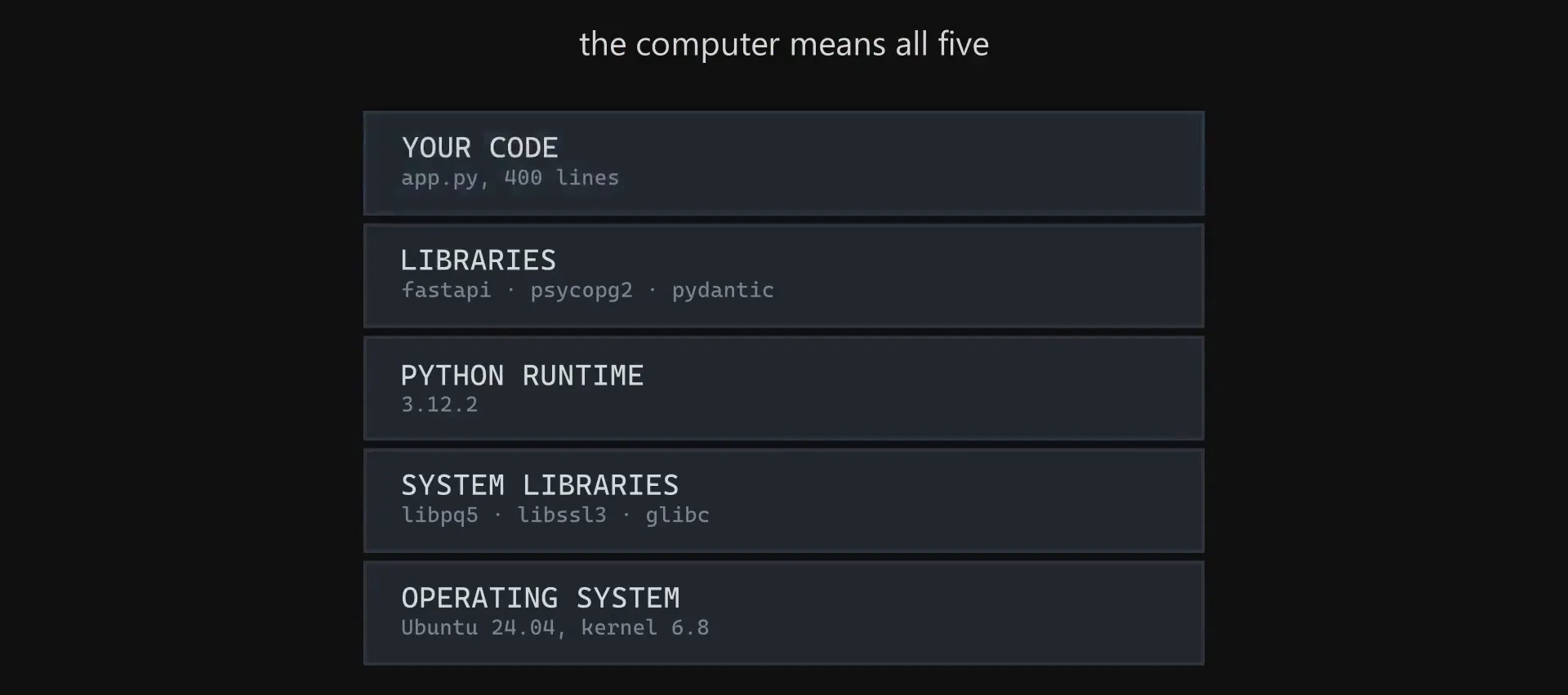
When you say “my application” you mean the top layer. When the computer runs your application, it means all five.
The uncomfortable part is not that the other four exist. It is how they got there. You chose the top layer deliberately: you reviewed it, tested it, and put it in version control. The other four arrived over months, one command at a time, from you, from colleagues, and from the operating system updating itself in the background.
No file in your repository describes them. No review approved them. They are the accumulated sediment of every terminal session that machine has ever had, and your application depends on all of it.
What actually differs between two machines
Take the same commit and put it on a laptop and on a production server. The top layer is identical, byte for byte. Then look underneath.
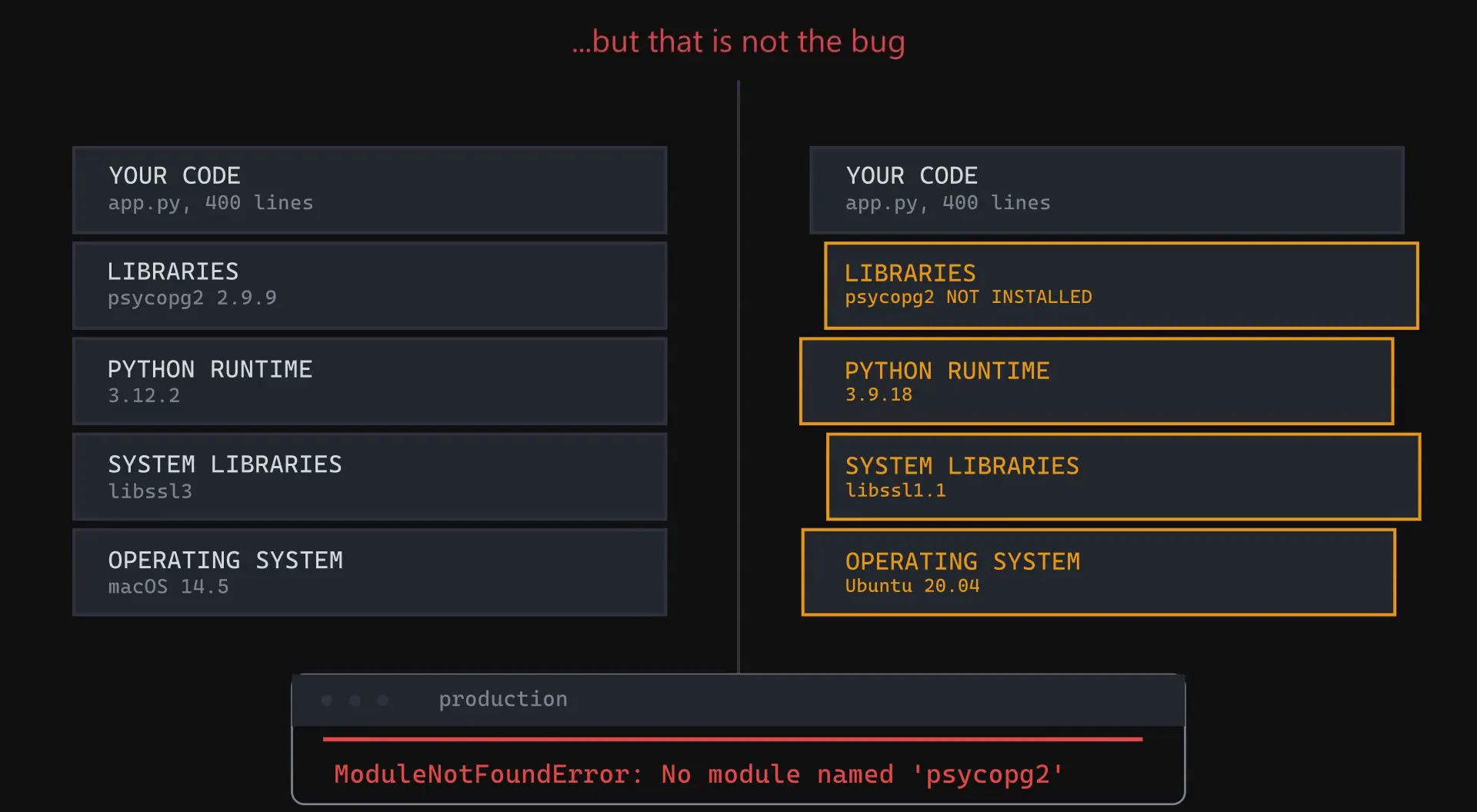
That is the whole failure. The deploy blames a missing module because a missing module is the first thing to break, but the bug is that your application’s environment was never something you built. It was something that happened to you.
Why pinning your dependencies does not fix it
The usual objection at this point is that a requirements.txt already solves
this, because every package is pinned to an exact version.
It does not, and the reason is worth being precise about.
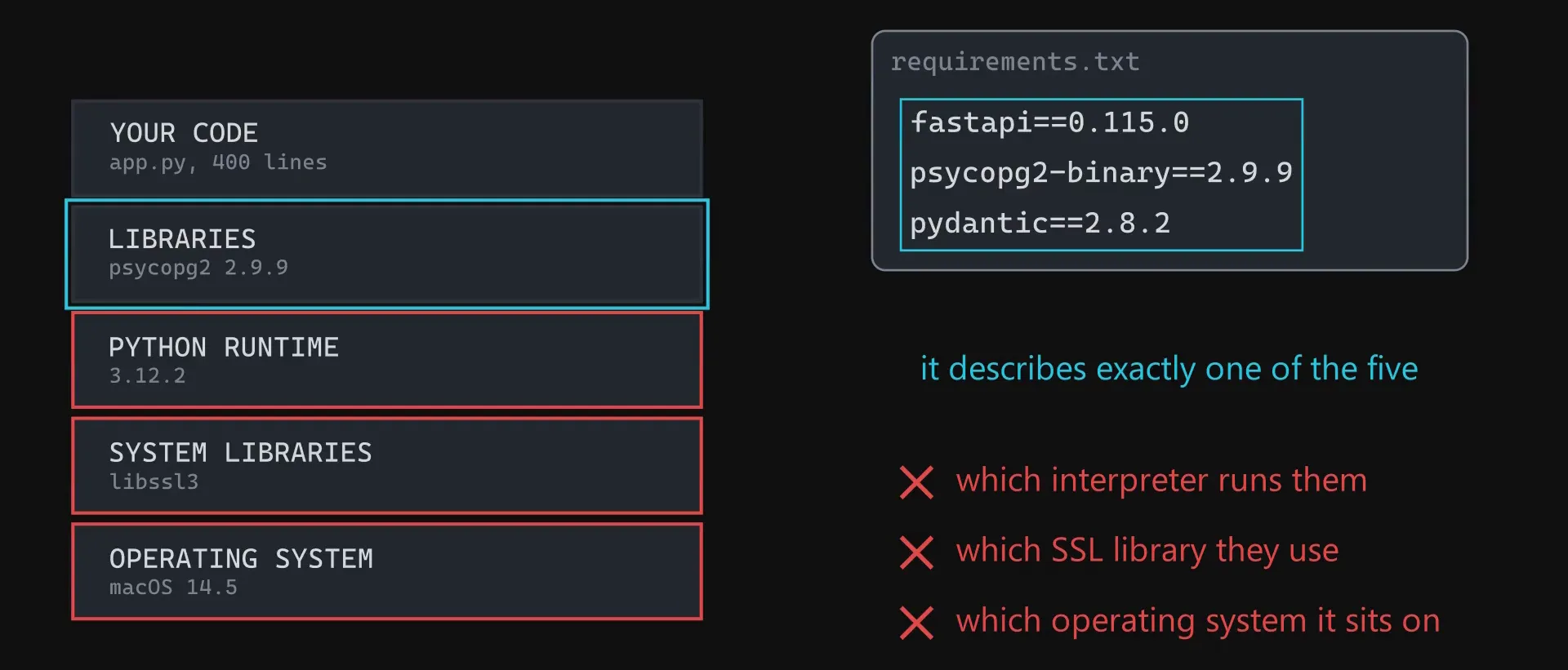
Pinning your libraries while leaving the three layers beneath them undefined is like sending someone a precise recipe and letting them guess the oven. Same instructions, different kitchen, different result.
You shipped your code. You never shipped your environment.
What a Dockerfile actually declares
The answer is almost aggressively simple. If the environment is the problem, stop treating the environment as an accident. Write it down, build it, and ship it as one unit with the code inside it.
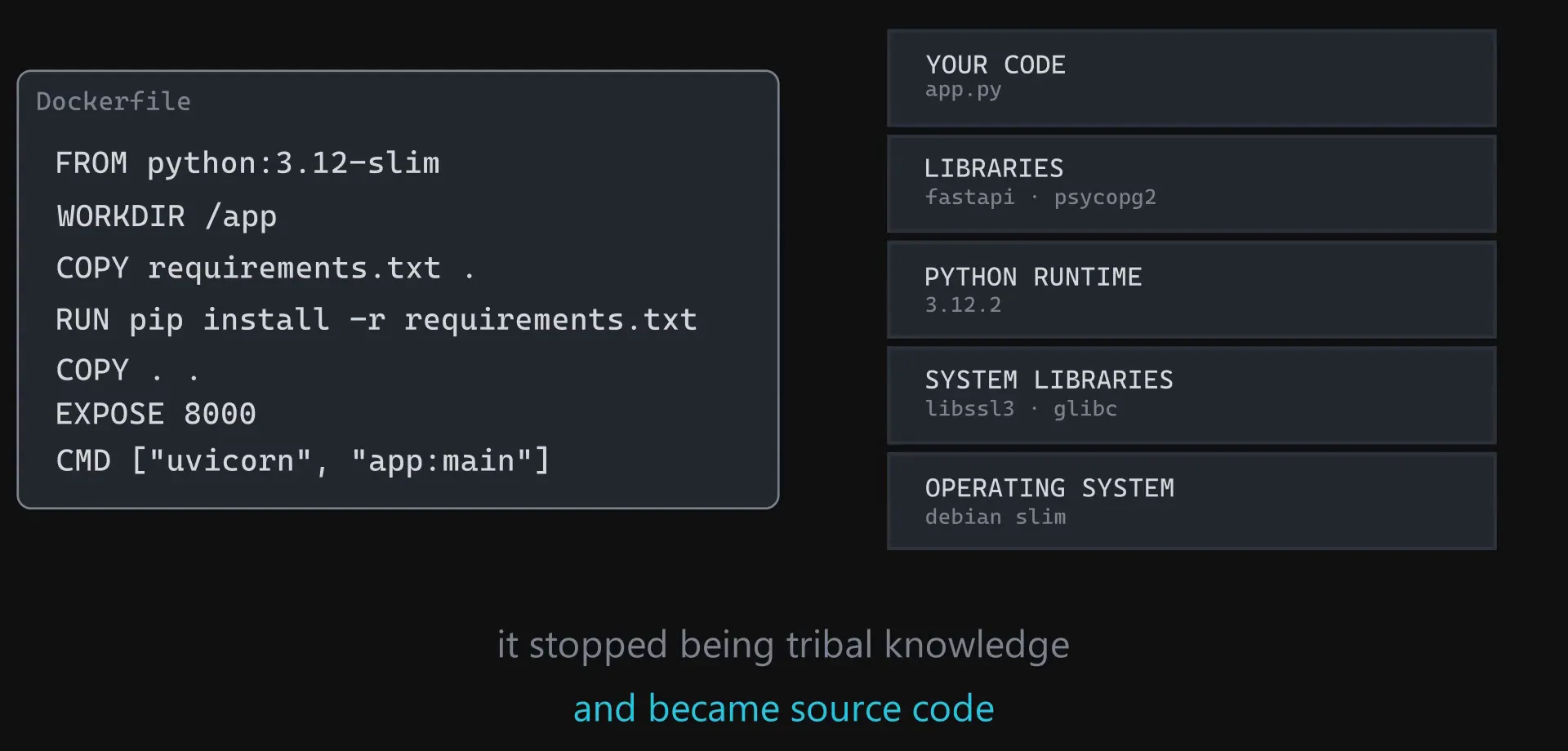
Read it top to bottom and every layer that was invisible is now a line of text in your repository. The environment stopped being tribal knowledge and became source code.
Images and containers
Building that file produces an image, a frozen and versioned snapshot of the entire stack. Running the image produces a container.
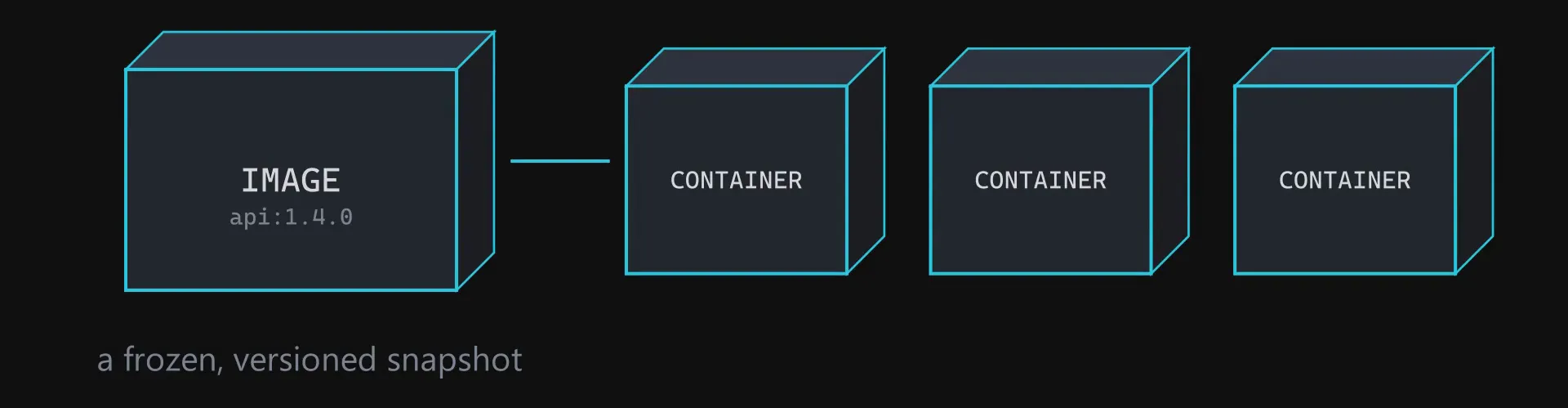
Run the two machine experiment again and neither machine needs to agree with the other about anything, because neither one is providing the environment any more. The container brings its own. “It works on my machine” stops being a defence, because your machine is no longer part of the equation.
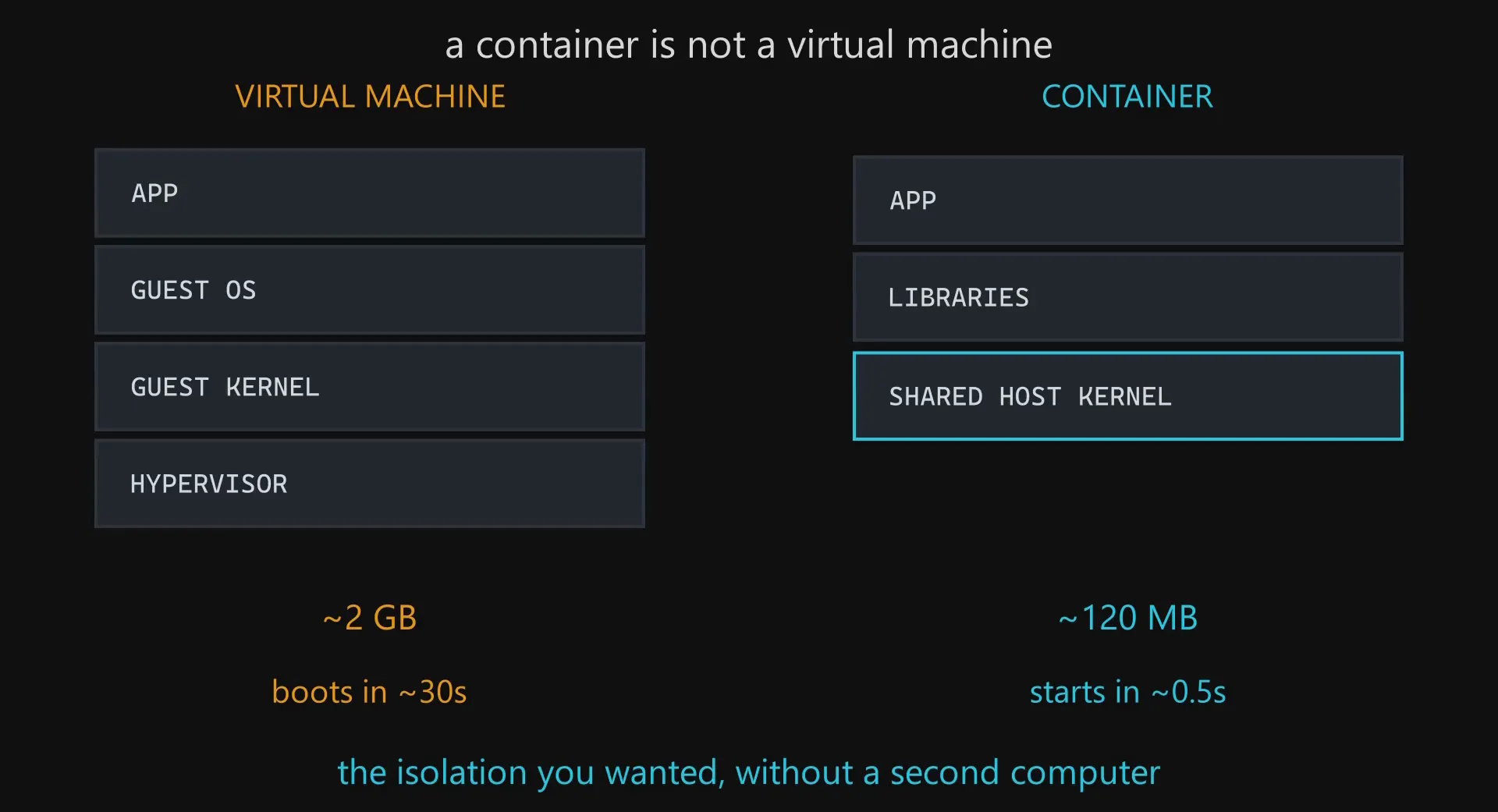
A container is not a virtual machine
This is the point that trips up most people meeting containers for the first time, so it is worth stating exactly.
A virtual machine carries an entire second operating system, kernel included, and boots it. A container shares the kernel of the machine it runs on and packages only the layers above it.
The layer I did not know I had
One story, because it added a sixth layer to that stack that I did not know was there.
I was building a payments integration. Stripe ships a command line tool for
testing webhooks locally, which is ordinary software from a company everyone has
heard of. I ran it, and Windows Defender told me it had quarantined
stripe.exe.
It was a false positive, and the reason developer tools get flagged so often is not random. The Stripe CLI is a Go binary: a single self-contained executable that unpacks and runs its own code at startup. To a machine learning heuristic that looks almost exactly like malware unpacking itself. Add that the file is new and almost nobody on the antivirus vendor’s network has run it before, and you have a tool that is suspicious purely for being a tool.
I added an exclusion for the file. Still blocked. I excluded the whole folder. Still blocked. I spent longer than I want to admit fighting my own machine to run a tool that was doing nothing wrong.
What worked was running it in a container, and the reason is not that Docker overrules your antivirus. On Windows, Docker runs containers inside a lightweight Linux virtual machine, so the thing I was running was no longer a Windows executable at all. It was a Linux process in a Linux environment, and the Windows security stack was simply not a layer it had to pass through.
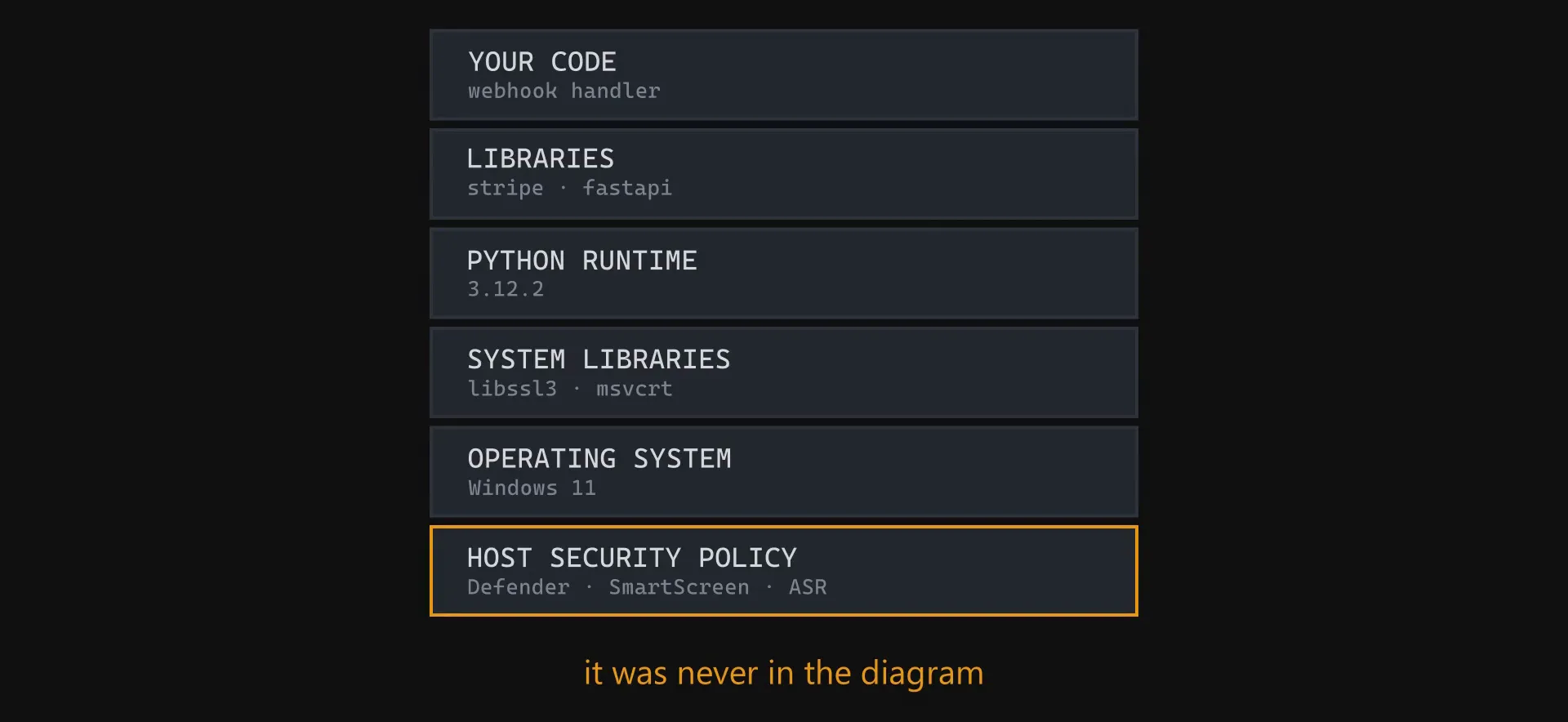
The replacement command was three times longer than the one I was used to typing. That is not the container being awkward, it is the container being honest. Every one of those flags was something the short command had been quietly inheriting from my machine.
Same lesson as the missing driver, one level deeper. The container did not fight that layer. It stopped needing it.
What actually changed
Go back to the first diagram. The client still sends a GET request. The router still matches the path. The handler still runs. The database still returns the row. The JSON still comes back with a 200. Not one line of business logic moved.
All a container did was draw a hard border around the server and make that border reproducible.
That is the whole idea, and it is worth being clear about what it does not do. It does not make your API faster, and it does not make your code better. It makes your application portable, which means the machine it lands on stops being a variable.
Next: what happens to that same request path when one server stops being enough, and you put three of them behind a load balancer.